MoveItMoveIt

Household moving system

Every box searchable. Every mover knows where it goes.

Photograph what you pack. MoveIt builds your searchable inventory, creates mover-friendly QR labels, tracks boxes from loaded to delivered, and helps you find everything on the other side.

  • No crew app required
  • Photo-first inventory
  • QR destinations
  • Loaded → delivered

Follow the build

MoveIt dashboard showing packed, loaded, delivered, and unpack counts for a household move

Built around a real household move

A Sharpie on the box is not a moving system.

Once the boxes were sealed, the household knew less about its belongings than before packing began. MoveIt was built around that actual move: find what you packed, tell the mover which room, and verify what made it.

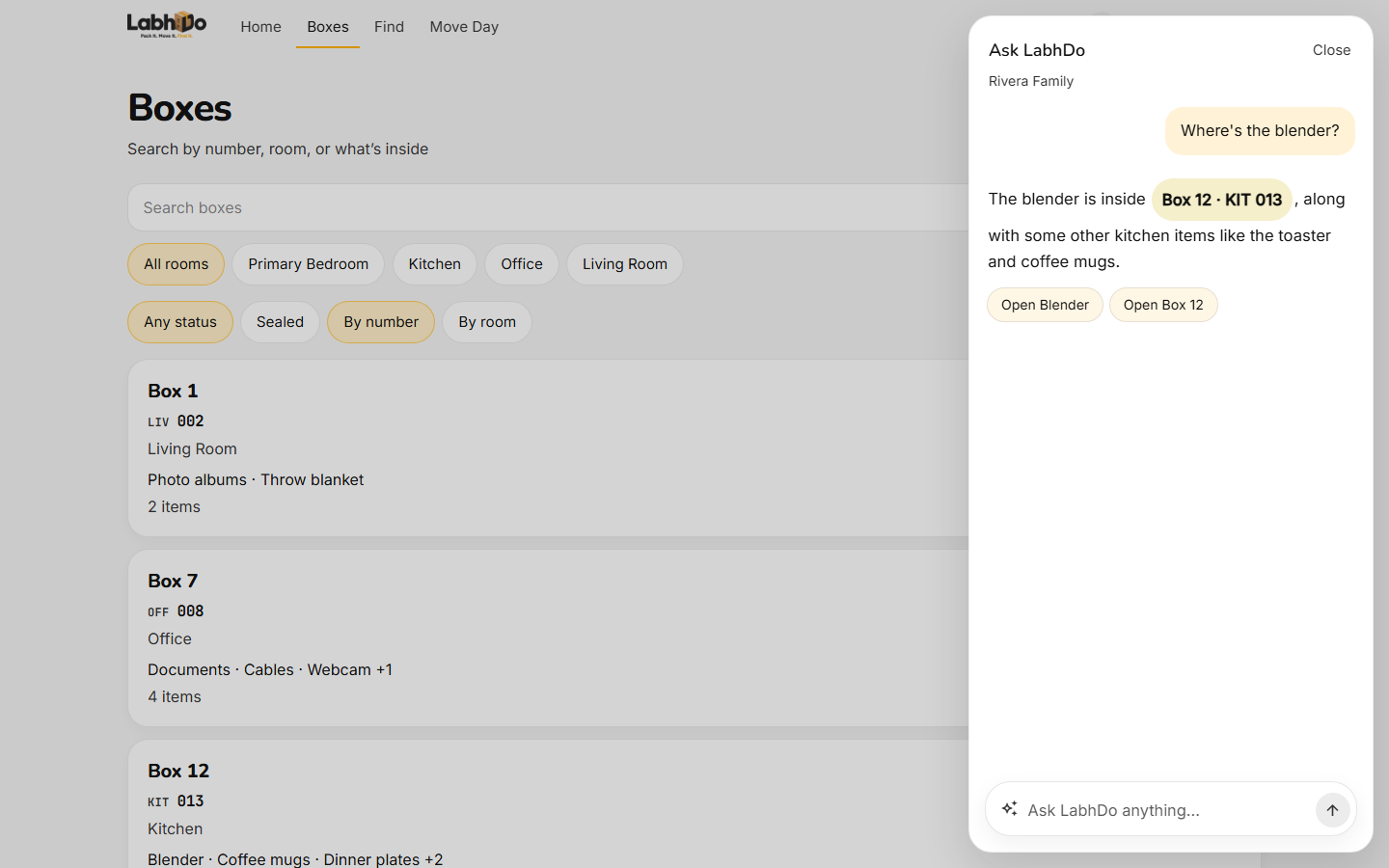
MoveIt box inventory list showing room codes, item counts, and box status

Every box at a glance

Room codes, item counts, and status in one list.

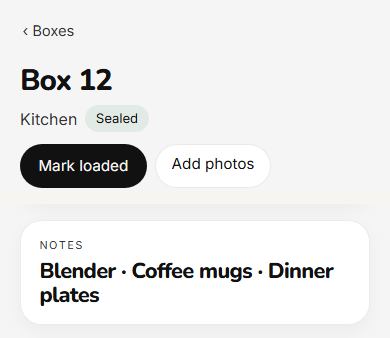
MoveIt box record with photographed item inventory

Photos of what you packed

AI names items later. You keep the visual record either way.

How it works

Photograph. Hand off. Verify + find.

Three beats on the homepage. The full six-step packing loop lives on How it works.

  1. 01

    Photograph

    Photograph as you pack

    Choose the destination room, snap the items, and keep moving. Voice notes are optional.

    Packing never waits for AI. Photos save first; metadata arrives later.

  2. 02

    Hand off

    Movers scan and know

    The scan page tells the crew where the box belongs without requiring a crew app.

  3. 03

    Verify + find

    Track, search, unpack

    Mark boxes loaded and delivered, then search the catalog when you need something.

The difference

Your mover needs the destination. Not your entire inventory.

A MoveIt box can tell the crew exactly where it belongs while keeping detailed household contents private by default.

Household view

BOX 023

Office

  • Laptop charger
  • Camera
  • Hard drives
  • Paperwork

Scan → destination

Mover scan

BOX 023

Target destination

OFF

Office

Floor 02

  • FRAGILE

4 items · contents hidden

  • No crew app
  • No training
  • Scan → place
See MoveIt for movers →

Moving day + privacy

Know what went on the truck. Keep the catalog private.

Movers get the destination information they need. Household contents stay private by default.

Loaded and delivered checkpoints keep the inventory relevant after the truck arrives. Public scans show floor, room, and mover code — not photos or the contents list — unless you choose otherwise.

Moving-day tracking →How box privacy works →

Why MoveIt

A moving label can do more than say “Kitchen.”

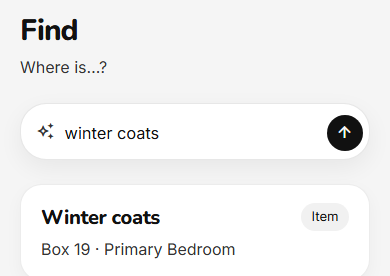
Search contents

Sharpie
No
Spreadsheet
Yes
Basic QR list
Yes
MoveIt
Yes

Mover scan view

Sharpie
No
Spreadsheet
No
Basic QR list
Varies
MoveIt
Yes

Loaded / delivered status

Sharpie
No
Spreadsheet
Partial
Basic QR list
Varies
MoveIt
Yes

Useful after move

Sharpie
No
Spreadsheet
Partial
Basic QR list
Varies
MoveIt
Yes

“Basic QR list” is a generic category, not a named competitor. Features there vary by product.

After the last box, keep the record as a home inventory. See home inventory after moving. Search and unpack from the same catalog on the moving inventory app page.

For moversBetter box information without a crew app.

MoveIt for movers →

Pricing

Free to try. $29 when the move is real.

One move. One system. Keep the inventory afterward.

Per move

$29

Unlimited packing, Avery labels, moving-day tracking, and Ask MoveIt for that move.

See full pricing

FAQ

Short answers

What is MoveIt?

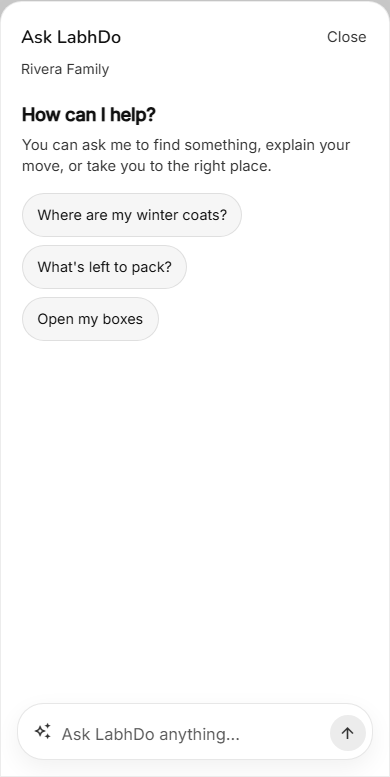
MoveIt is a household moving system. You photograph items as they go into a box, print Avery labels with QR codes, hand movers a scan page with floor and room, mark boxes loaded and delivered, and search the inventory during unpacking and after.

How is MoveIt different from writing the room on the box?

A room name is not a moving system. MoveIt gives each box a destination floor, mover code, priority, and handling flags; a public scan page for crews; loaded and delivered checkpoints; and a searchable photo inventory so you can find items later.

Does packing wait for AI?

No. Photos save immediately. Names, tags, OCR, and transcripts arrive later. You can type a name or leave a voice note; your edits are never overwritten by a later model run.

All questions

Notes

Packing notes from a real move.

All notes

Pack it. Move it. Find it.

Start the household moving system.